
This is the way to add mystery and movement to a static shot using a flash. Read this post till the end to learn how to capture motion in photography and create stunning fine art photos. It can also help you to understand the light better which is very important for all visual arts.
It’s interesting how exactly someone discovered this technique. Possibly that happened by accident when shooting with a flash the photographer didn’t check the shutter speed setting.
When doing this type of photography you can literally capture all of the movement that happened when the shot was being taken.
I’m not talking about drawing pictures with a lantern on long exposure. You don’t need to read an article to do that, it’s too simple.
Why do you need a flash to capture motion in photography?

Motion in photography can be shown by blurring moving objects or shooting with a very fast shutter speed. The technique I’m describing here helps you to blur the motion and get a sharp image at the same time. When on long exposure photographer captures some moving object and then the flash “freezes” it at a certain moment.
If you want to learn more about how to set the right exposure in photography I have a separate post about it.
This technique creates an effect that the photograph looks static and dynamic at the same time. When you simply do a photograph with a long shutter speed, everything that moves gets blurred and is indistinguishable. When you use a flash, one moment of the movement is lightened and appears more clear and not blurred.
As well as photographing moving objects you can move your camera and blur everything but the subject that you highlight with the flash.
As a result, if you photograph a party it might get a more dynamic look. If you photograph a sad man walking on a street he might appear mysterious and ghosty.
The flash can be on camera but the results will be a lot worse. Although lower-quality imperfect images sometimes have their own charm and can be very appealing,
so don’t reject this technique if you don’t have a good lighting set-up…
How to photograph using this technique
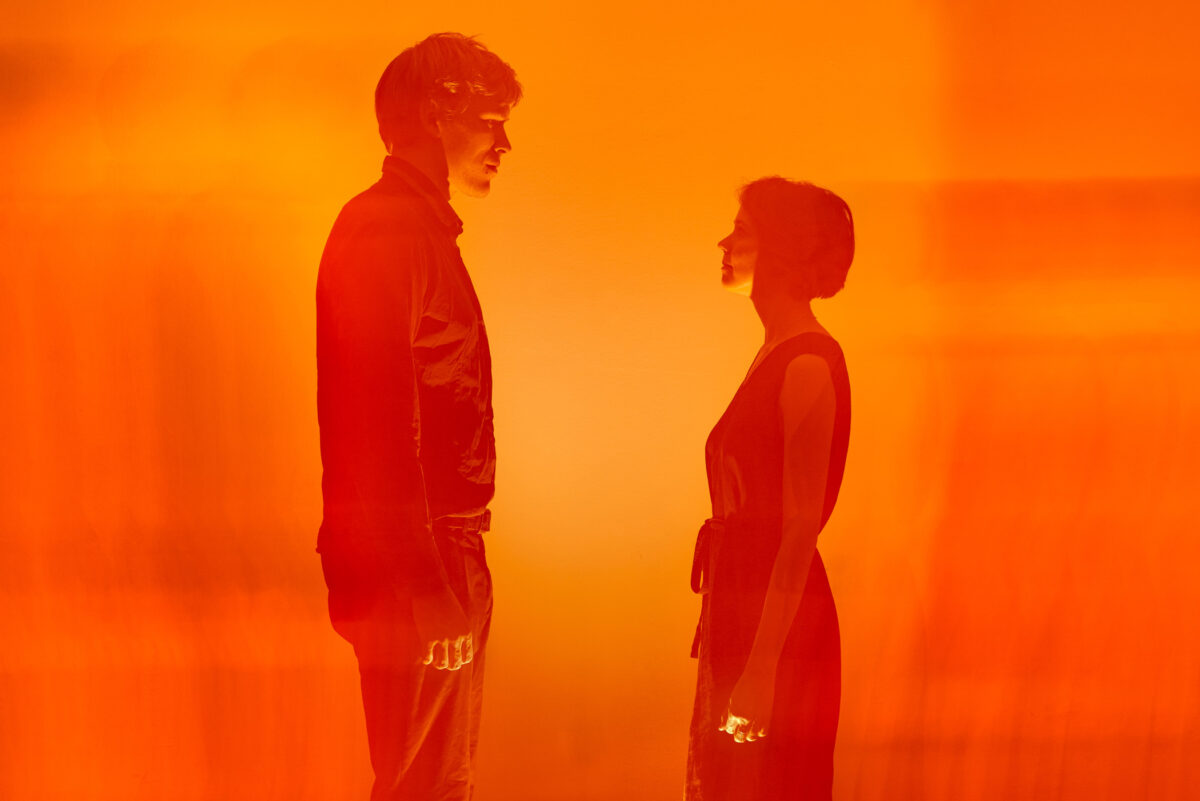
To get this effect it’s better to photograph either with a camera on a tripod or using wide lenses. You can also try using narrower lenses and shoot from hands but then the results will be more abstract.
What settings to use to capture motion in photography
The camera settings that I usually use of course depend on the lighting condition. You need to find the right ratio between the strength of the flash and the length of exposure. Bear in mind that you also change the strength of the flash with the aperture settings mainly. It took me some time to realise that for saving the batteries in the flash I can try shooting with more open aperture. Since the speed of flash is very fast and mainly only apetrure affects the flash exlusively. So good understanding of the settings of the camera will help you a lot.
At the same time you need a second constant light to highlight the movement. You can also adjust the brightness of the moving object or person. So the settings are always different and you need to experiment to find perfect ones. But for example, it can be ~f7, 1s, 250 ISO and power of the flash ~1/16. The most important is that the flash should reach but not overexpose the subject. If the flash is too weak the subject will be transparent.
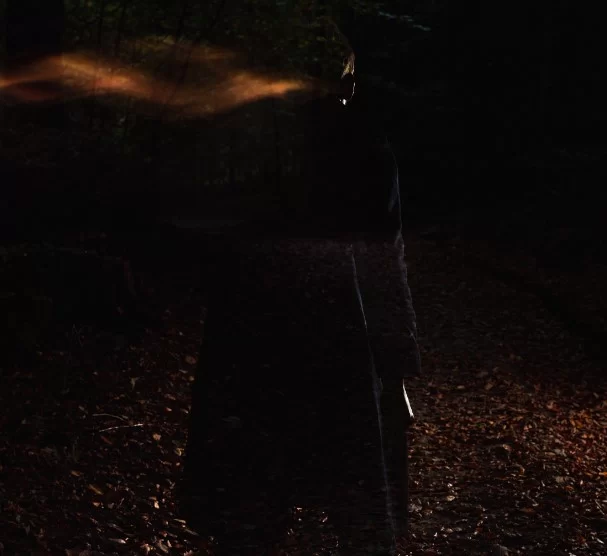
How to physically take a shot like this
An example of this type of photography can be if you ask your model to walk when you take a picture. To get a good shot you might have to take some time and do several attempts until you adjust all the variables.
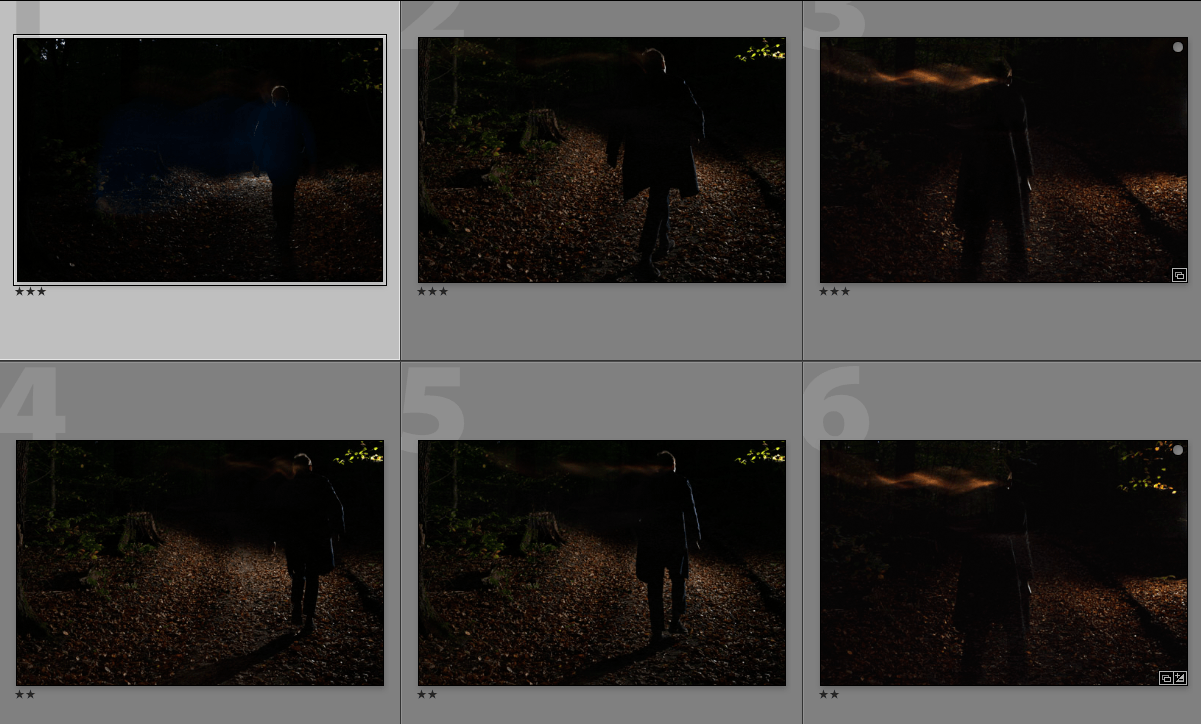
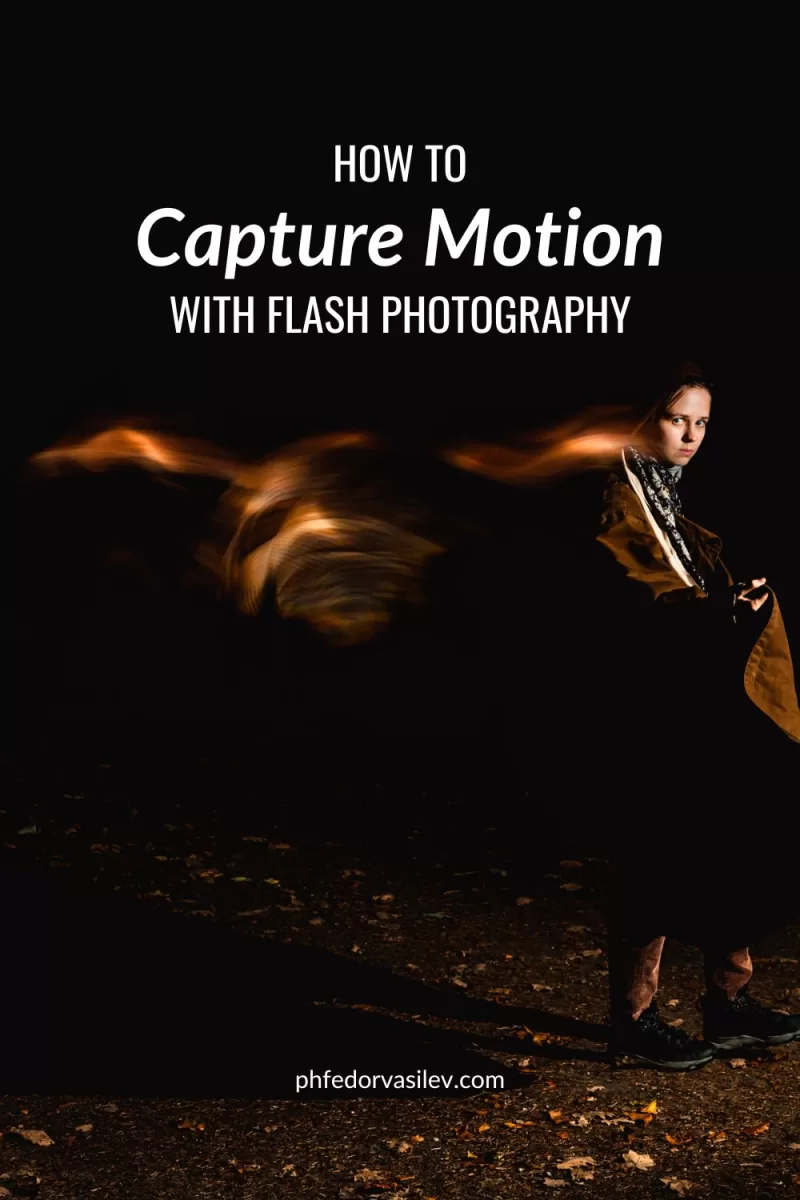
Don’t forget that to see the blurred tracks on the picture – you need some extra light except for the flash since this movement should be also recorded. It can be some light that is already available or you can direct a lantern onto your subject. If you try to capture motion in a dark setting and use flash, then you will simply get a sharp image on a dark background. Because no light except the light of the flash will be recorded. Also remember that having brighter clothes will help you to reflect more light(my mistake wearing dark blue coat in the picture above), so the tracks will be brighter and the colour of the clothes will be the colour of the tracks.
Sync the flash to the second curtain of the shutter to capture motion in photography
Depending on your camera you might also have to change the sync settings for the flash. Since if your flash syncs at the beginning of the shot, all of the following information will overlay your frozen moment. So set the sync to the second curtain of the shutter. Then you will capture motion but the sharp image will be on top of it.
To capture motion using a flash in the dark setting:
- Set your shutter between 5s and 1/4s
- Close your aperture to 5.6 – 9 it’s way harder to get a sharp shot overwise
- Set your flash to power 1/8 – 1/32
- Keep ISO at 100-400
- Take a couple of test shots
- Adjust your settings after a few tries
The ways to use this technique
The trick works in a way that you can add some ambiguity to a photograph while preserving some of the details. You can make objects appear ghosty or add light tracks in the frame while keeping some objects sharp.
It’s also good for reducing the number of details in the frame and keeping the image minimalistic. You could use it literally for photographing any object which is within the reach of your flash. Most of the time I captured motion in photography using this technique in the evening when it’s easier to use long exposure and a flash. Otherwise, you might have to use a very powerful flash and an ND filter
Where I take pictures like this
When I was starting out I used it at concerts photographing musicians. Later I used it for portraits and I think it can beBut now to capture motion in photography I would also use this technique at dusk capturing waving grass on a field for example or for portraits.
Examples of photographs taken with this technique:

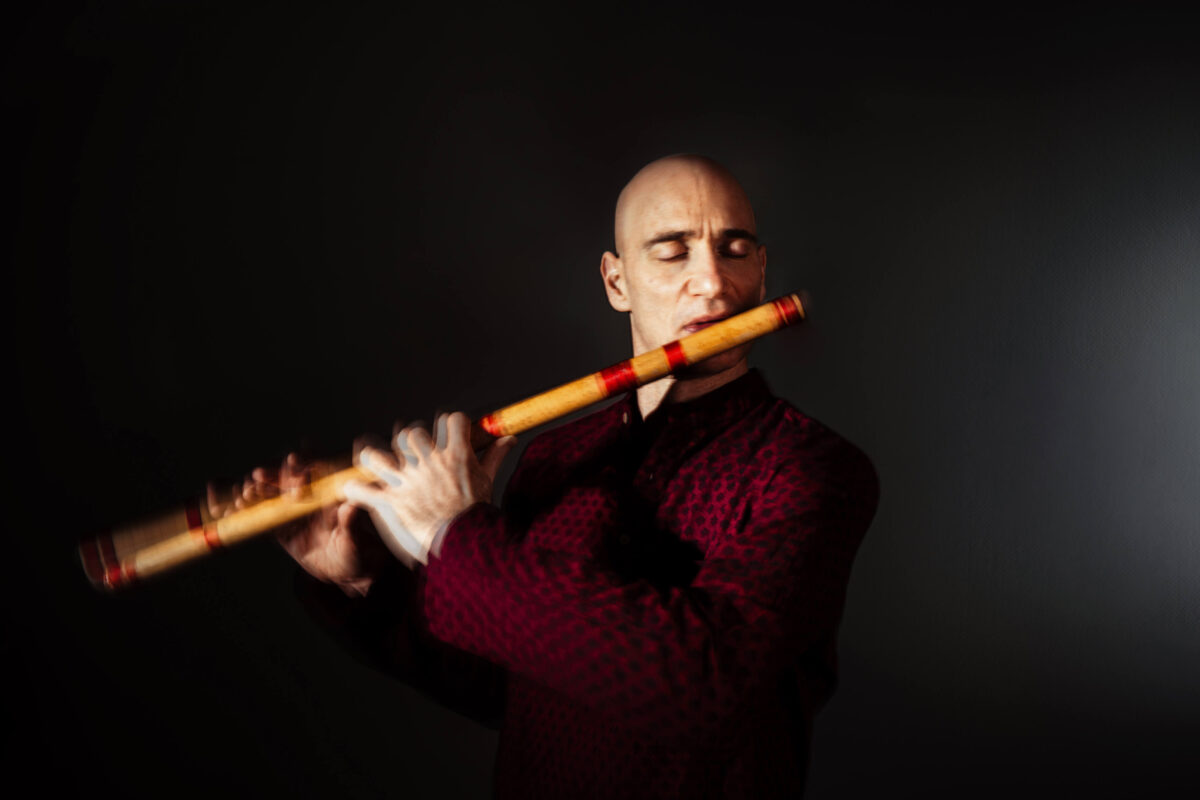
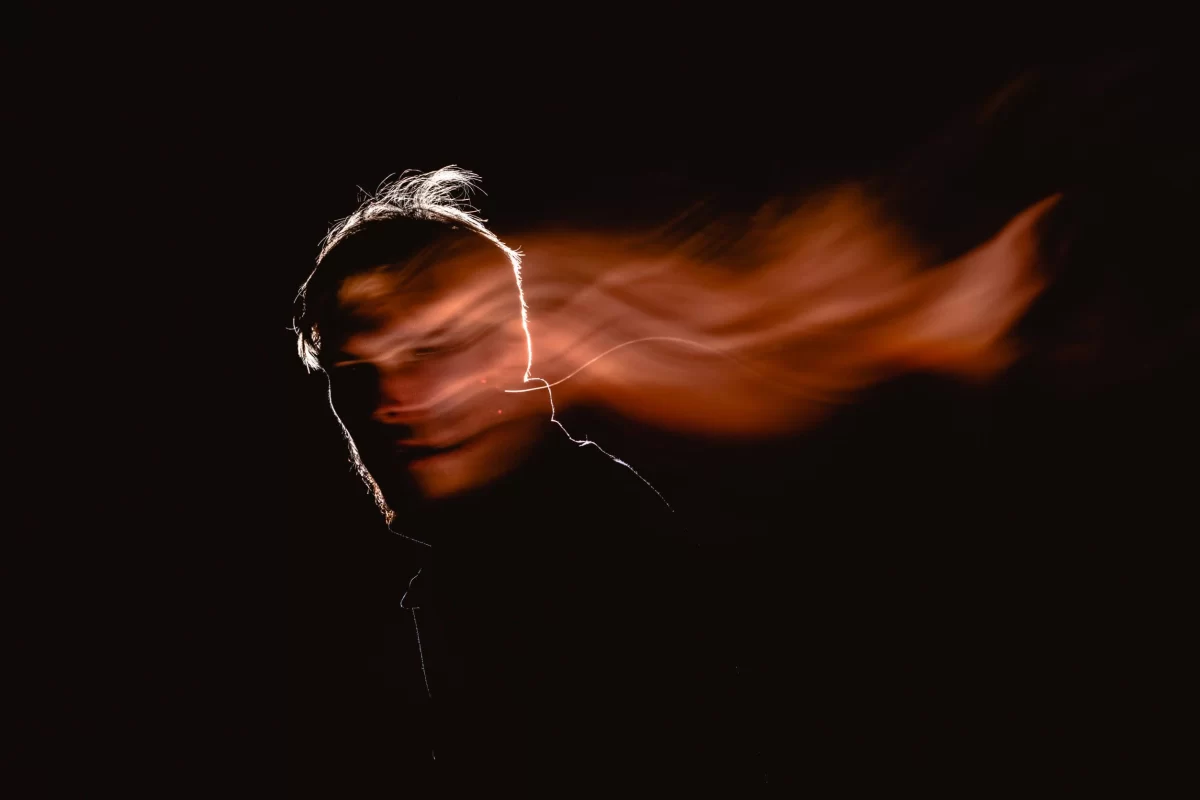
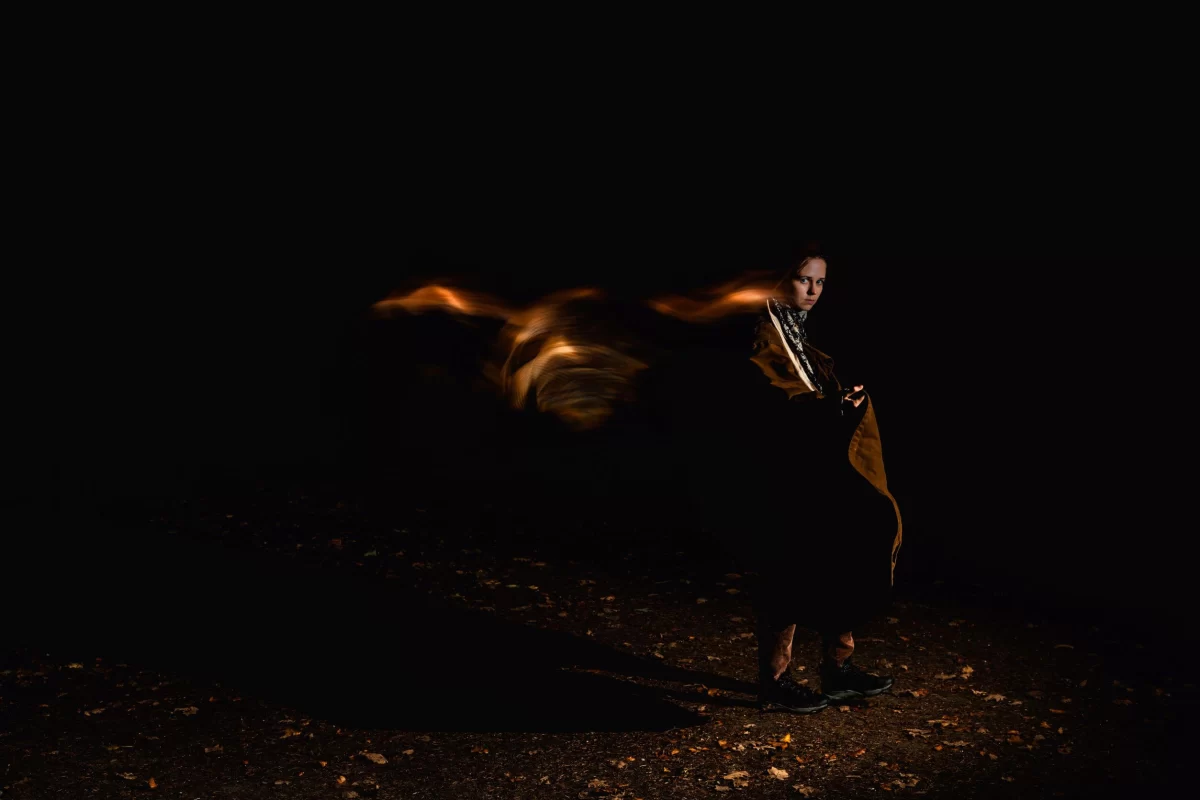
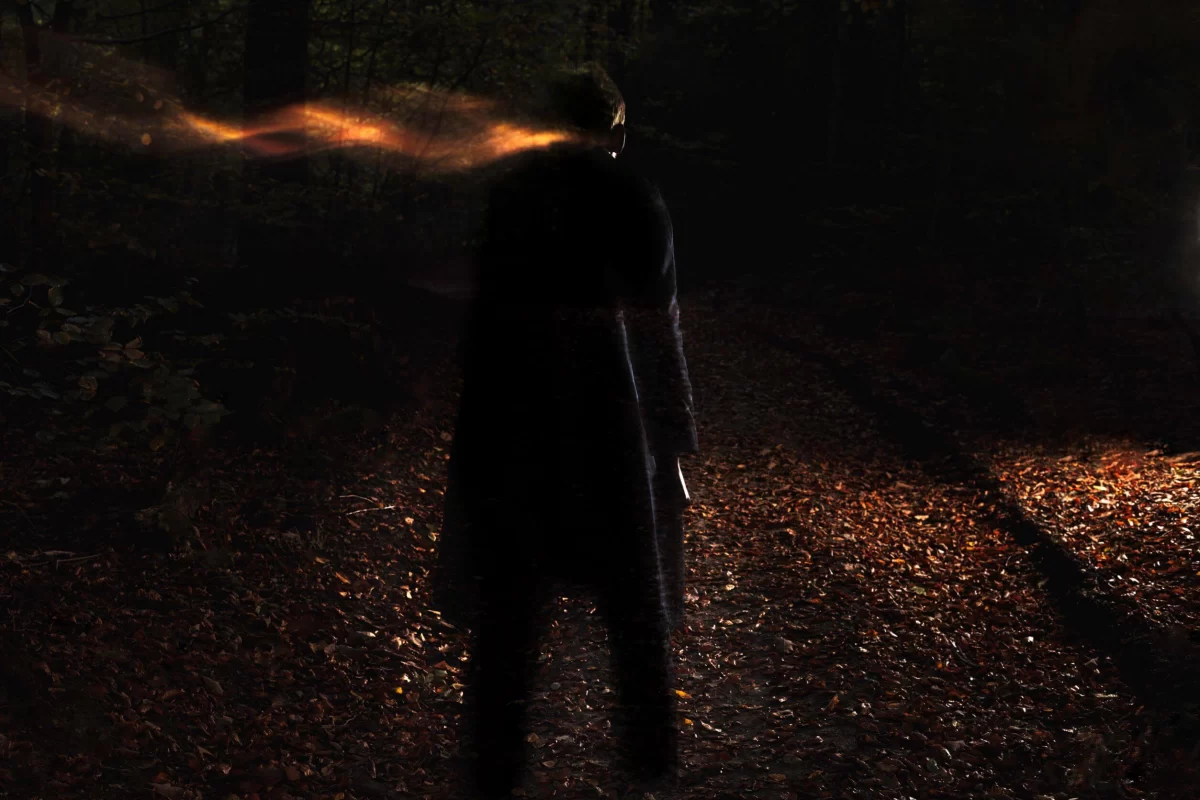
I wish you to have a lot of fun with this technique and if you actually gonna try creating new things with this, please share them with me. Would be very interesting to see them.
I will probably create another series of posts that will be more interactive and I thought about reviewing photos and portfolios, which can be beneficial for everyone). So please feel free to share your pictures with me and I will review them for you.
And If you like what I’m doing you can help me greatly by subscribing to my blog!
pin this post for later
Hover on your preferred image to see the red “Save it” button with a Pinterest logo. Clicking on it will open a new tab to pin this blog post to one of your boards.

Comments are closed.